TikTok to MP3 Converter
Free online TikTok to MP3 converter without watermark. Extract and download 320kbps high quality MP3 music fast.
How to Convert Video Clips to MP3 in 3 Steps
-
Step 1: Copy the Video Link
Navigate to the public post, tap the Share icon, and select Copy Link.
-
Step 2: Paste the URL into SaveTT
Insert the copied link into the conversion box above to detect the audio stream.
-
Step 3: Download Your MP3 File
Click the Download MP3 button to save the audio file directly to your device storage.
Key Features of SaveTT Audio Extractor
Clean Audio Tracks
Separates the audio stream from public video clips so you can listen without visual distractions.
Web-Based Converter
Operates inside mobile and desktop web browsers without requiring software downloads.
Zero Sign-Up Required
Access audio conversion immediately without user accounts, subscriptions, or personal details.
Universal Device Support
Generated MP3 files play smoothly on iOS, Android, Windows, and macOS media players.
Extracting Audio from Short-Form Video
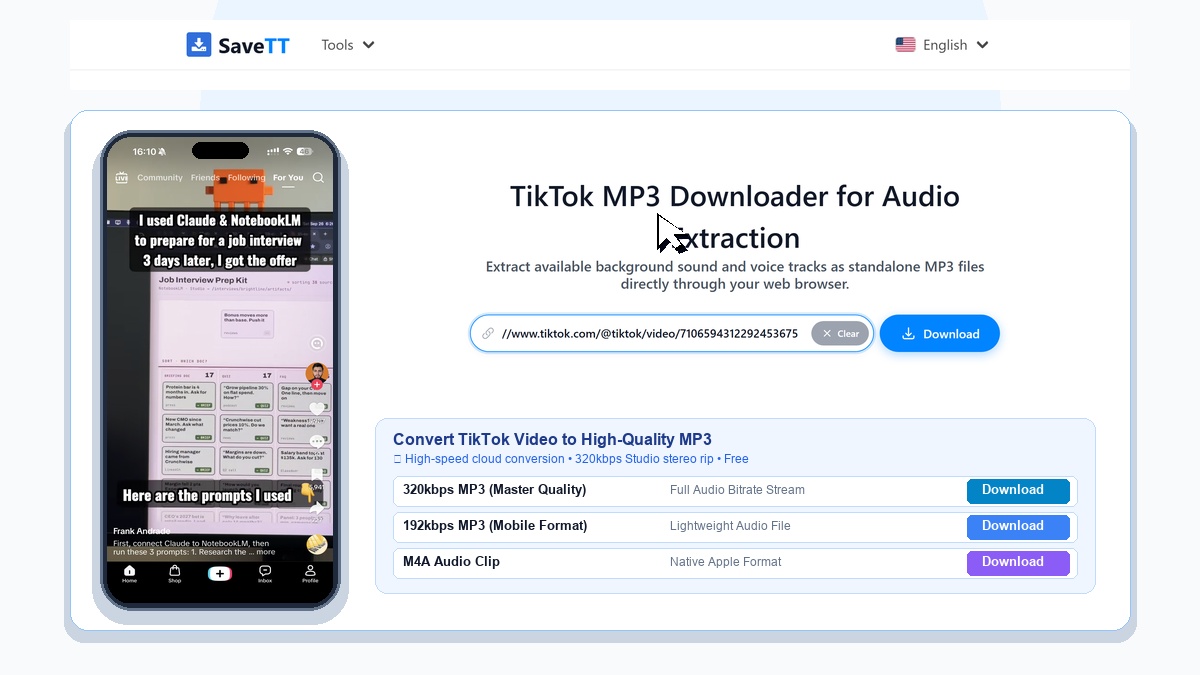
Short-form video feeds are packed with memorable soundtracks, viral comedy voiceovers, and inspiring speeches. However, watching full video files is not always practical when you only want to listen while working out, commuting, or relaxing.
SaveTT provides a dedicated web converter to separate sound tracks from public posts and save them as lightweight MP3 audio files directly to your device.
High-Fidelity Audio Without Screen Recording
Many users resort to screen recording on mobile phones to capture a song, which often records background notifications and compresses audio quality. SaveTT retrieves the media stream directly from public links, helping deliver clear vocal clarity and balanced acoustics.
The resulting MP3 files are compatible with standard music apps, podcast managers, and ringtone editors on both smartphones and desktop computers.
Browser-Based Tool with No App Requirements
Because the conversion happens entirely on cloud servers, you do not need to install dubious utility apps or browser add-ons. SaveTT runs smoothly in Safari, Chrome, Firefox, and Edge across Android, iOS, Windows, and macOS.
You can convert public media without creating an account or providing personal credentials, keeping your browsing experience fast and secure.
Supported Audio Content and Guidelines
SaveTT processes publicly visible posts and mobile share links. If a post is published within a closed group or set to private visibility, external tools cannot access the media stream.
Ensure the post is publicly accessible before copying the link. For optimal transfer speeds, use a stable network connection when saving audio files.