TikTok Story Downloader
Free online TikTok Story downloader without watermark. Save 24-hour vertical stories in HD MP4 before they expire.
How to Save Expiring Stories in 3 Steps
-
Step 1: Copy the Story Link
Open the 24-hour post before it expires, tap the Share icon, and select Copy Link.
-
Step 2: Paste into SaveTT
Insert the copied link into the conversion box above to detect the media stream.
-
Step 3: Save the Video File
Click the Download button to transfer the MP4 clip directly to your device.
SaveTT Story Downloader Advantages
Beat the 24-Hour Timer
Capture fleeting daily updates directly to your local storage before the platform countdown removes the media.
Direct Browser Access
Functions smoothly inside mobile and desktop web browsers without extra software or plugins.
Zero Sign-Up Required
Download public clips immediately without creating accounts, passwords, or subscriptions.
Vertical Video Preservation
Maintains native 9:16 mobile aspect ratios so saved clips display naturally on phone screens.
Save Daily Video Updates Before They Disappear
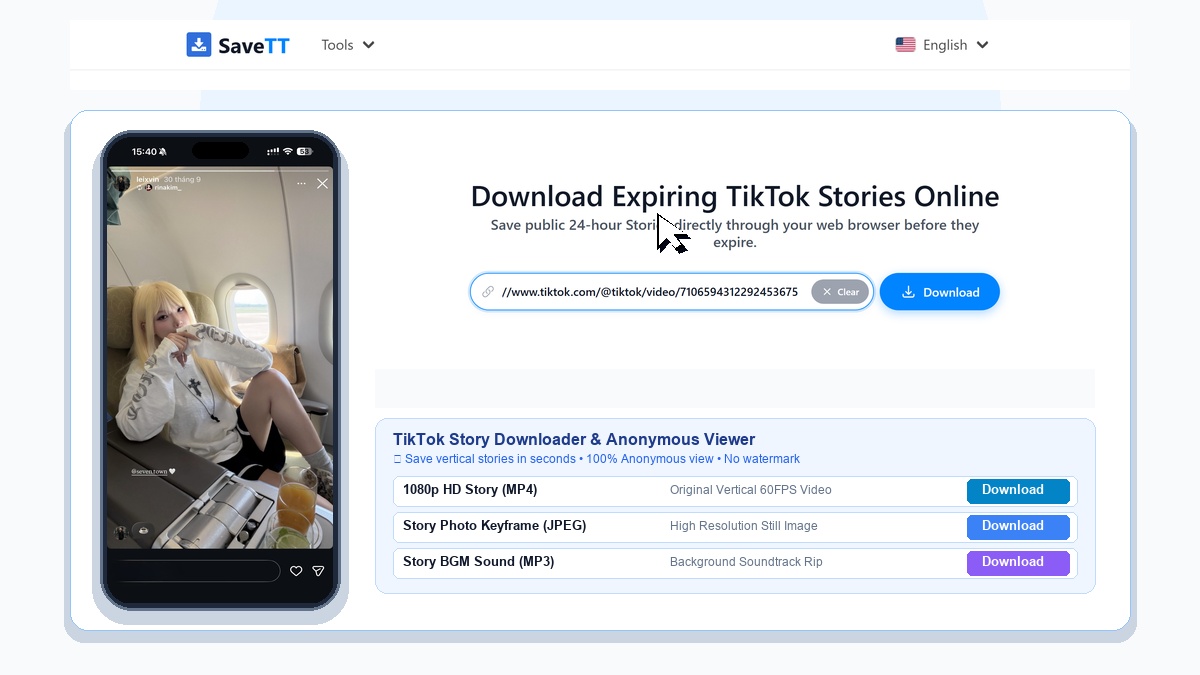
Daily stories offer spontaneous, authentic moments that creators share with their audiences. Because these posts vanish automatically after 24 hours, keeping a personal copy requires saving the video before the timer runs out.
SaveTT provides a dedicated browser tool to extract public story streams and deliver them as standalone MP4 files directly to your phone, tablet, or computer.
High-Resolution Vertical Video for Mobile Viewing
Short-form daily posts are filmed vertically for smartphone displays. SaveTT aims to maintain the original 9:16 framing and synchronized audio, ensuring that your saved clips look crisp and natural in your photo gallery.
You can choose between available resolution options depending on the source upload, balancing visual detail with convenient file sizes for mobile storage.
Web-Based Tool with No App Requirements
Because the conversion happens entirely on cloud servers, you do not need to install dubious utility apps or browser add-ons. SaveTT runs smoothly in Safari, Chrome, Firefox, and Edge across Android, iOS, Windows, and macOS.
You can convert public media without creating an account or providing personal credentials, keeping your browsing experience fast and secure.
Supported Story Formats and Guidelines
SaveTT processes publicly visible posts and mobile share links. If a creator publishes a story to a private profile or restricts visibility to approved friends, external tools cannot access the media stream.
Ensure the story is publicly accessible and active within its 24-hour window before copying the link. For optimal transfer speeds, use a stable network connection when saving video files.